Every franchise operator knows that gut-drop moment. You visit a new location, and the brand wall looks nothing like the flagship. The colors are off. The print quality feels cheap. Your brand identity takes a hit before a single customer orders their first coffee.
Scaling a cafe or restaurant chain means wall mural printing for restaurants can't be an afterthought. It's a frontline brand consistency problem — and it has real revenue consequences.
This guide gets straight to what works:
Material durability data tested in real kitchen environments
A standardized SOP that keeps 10, 20, even 50 locations in visual sync
Honest cost breakdowns that make bulk procurement decisions easier
No guesswork. No vague vendor promises. Just a framework you can execute.
Core Printing Materials Durability & Applicability Scorecard
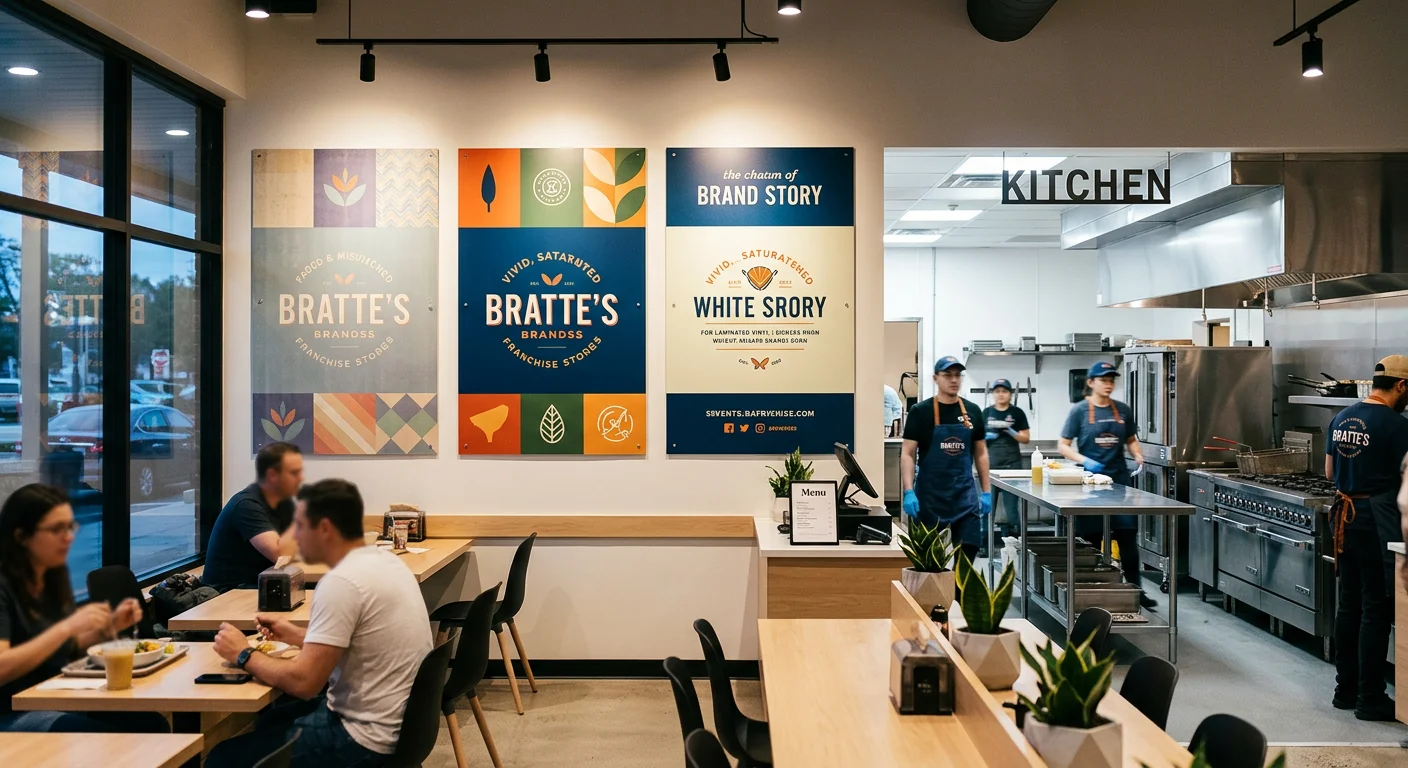
Three materials dominate franchise wall printing. Pick the wrong one — wrong zone, wrong environment — and you're paying for a reprint within 18 months.
Here's how the specs actually stack up against a real restaurant environment, side by side.
Vinyl Wall Wrap (Laminated PVC Film)
This is the workhorse of franchise interior branding, and the reasons are solid.
Laminated vinyl wall wraps carry 130–160 μm total thickness — face film plus overlaminate. That laminate layer does the heavy work in a cafe setting. Raw, unlaminated PVC prints stain. They pull in kitchen aerosols. Ink softens. You've seen it happen. Add a PVC or PU overlaminate, and the whole performance picture shifts:
Grease & smoke resistance: ★★★★★ under normal cleaning regimes
Cleanability: neutral pH detergent, soft cloth, IPA 70% spot treatment — all safe
What to avoid: acetone, abrasive pads, scouring powders — they'll burn the gloss and scratch through to the ink layer
Indoor service life: 3–5 years (calendered) / 5–7 years (cast, laminated)
Temperature tolerance: stable up to ~70°C / 160°F near equipment fronts
For franchise consistency branding, vinyl's biggest strength is in production. Central production with ICC-profiled media and RIP color management holds ΔE*00 ≤ 2.0 between print runs. Tight franchise programs targeting brand-critical color push that to ΔE 1.0–1.5 using closed-loop spectrophotometric calibration and media lot tracking. That's how you keep 20 locations looking like they came from the same blueprint.
Best zones: counter backsplashes, order queue corridors, POS back walls, main cafe interior wall decor feature panels.
Pro spec note: Use matte or satin overlaminate near track lighting. It kills glare and hides minor wall texture. Also seal edges near sinks and dish areas. Moisture gets into unsealed edges. Most operators miss it until the panel is already delaminating — that's a costly fix.
Commercial Wallpaper (Non-Woven & Digitally Printed)
Commercial wallpaper is the aesthetic pick. It shoots well in photos. Brand gradients and textured murals look crafted on it — not just applied.
In a restaurant, though? Real environmental limits come with it. Plan around them.
Non-woven wallcoverings run 150–300 g/m² with total thickness in the 200–400 μm range. PVC-free polyester versions for digital printing sit between 180–260 μm. HP Latex and aqueous pigment printing at 600–1200 dpi delivers smooth tonal transitions — strong for brand murals, lifestyle imagery, and gradient brand colors.
The real issue is grease and moisture:
Uncoated non-wovens: ★★☆☆☆ grease resistance — oils absorb in, staining is hard to reverse
With clear acrylic or PU topcoat: jumps to ★★★–★★★★ — wipe-safe with mild detergent
Still not equivalent to laminated vinyl for heavy degreasing cycles
Installation is sensitive to humidity. Industry standard calls for 40–60% RH during and after install. Skip that, and you get edge curl and seam opening within months. Across multiple locations, that's a visible brand consistency failure.
Best zones: lounge areas, booth seating backs, dry feature walls — positioned away from espresso machines, exhaust lines, and dish pass windows.
Direct UV Wall Printing
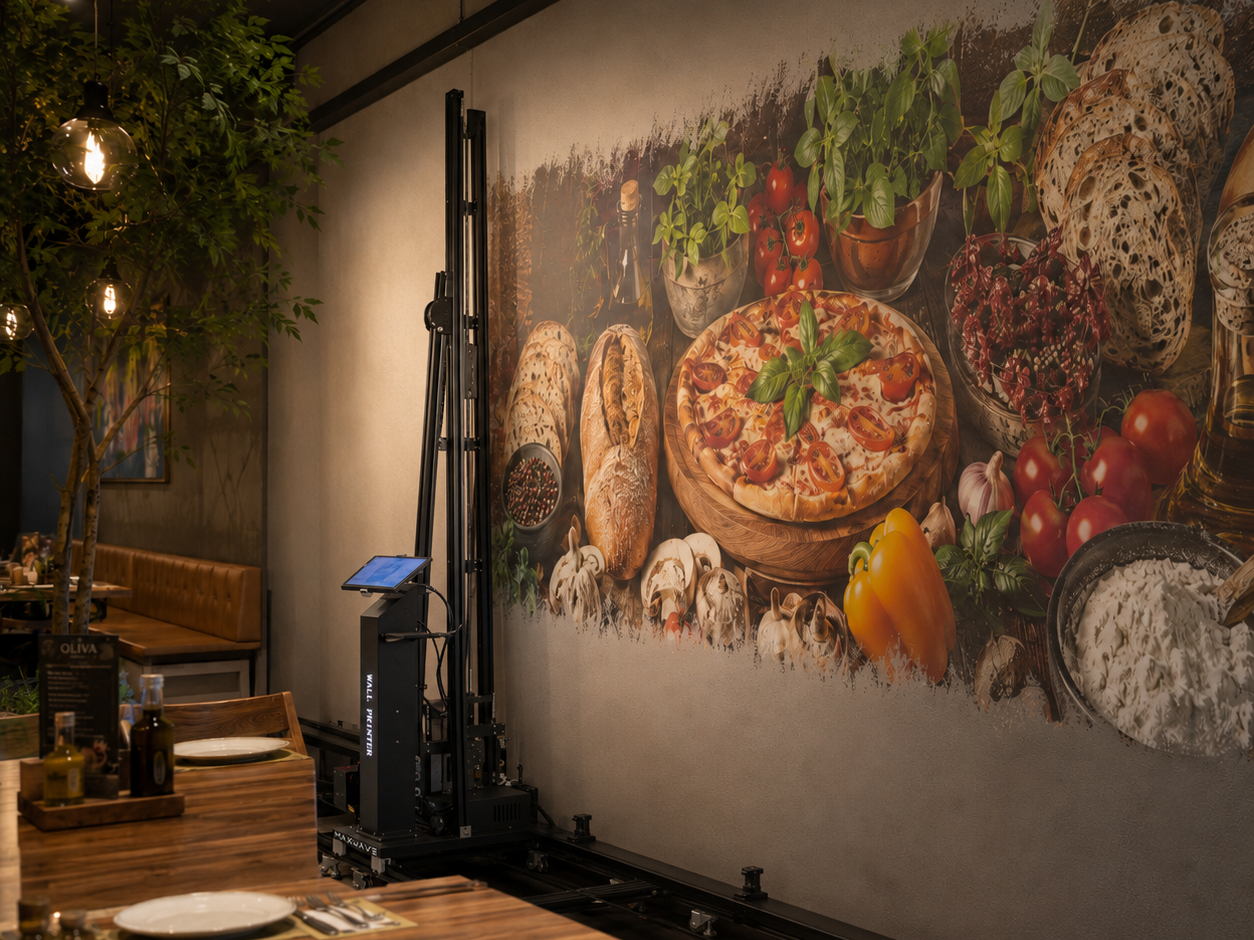
Direct UV wall printing impresses clients in flagship presentations. No seams. No media joints. A mural that looks painted onto exposed brick or raw concrete.
The technical side: UV-curable inkjet heads move along a mast across the wall surface, laying down a ~20–40 μm cured ink layer on plaster, brick, drywall, and tile. Indoor color life runs 6–10 years — the longest of the three options — protected from direct sunlight and physical abrasion.
For franchise consistency branding across multiple locations, though, this method carries one specific risk: replication variance.
Each job needs on-site printing by specialized local operators. Each operator calibrates differently. Each wall substrate reacts differently. Without shared ICC profiles and mandatory test swatch sign-off, ΔE variance can exceed 3.0 across sites — visible to the naked eye, and out of line with brand standards.
Grease resistance (raw UV ink): ★★★☆☆ — medium; gloss can change under aggressive cleaning
With PU or acrylic clear coat: improves to light-scrub safe with neutral cleaners
Abrasive pads still risk scratch-through to the ink film — build this into your maintenance SOP
Best zones: accent features on exposed brick or curved concrete columns, flagship locations where minor inter-site variance is acceptable. Not the right material as your large format wall printing standard for a 15-unit rollout.
Rigid Printed Panels (PVC Foam, Acrylic, ACP)
Rigid panels sit in a different category from surface films. They're modular branded wall signage, not continuous murals. In a franchise system, that modularity is a real operational advantage.
Panel Type | Thickness | Durability | Grease/Clean Rating | Best Use |
|---|---|---|---|---|
PVC Foam Board | 3–10 mm | 8–10 yr indoor | ★★★★★ (with clear coat) | Menu boards, brand story panels |
Acrylic (PMMA) | 3–6 mm | 8–10 yr | ★★★★☆ (needs non-abrasive care) | Premium feature signage, logo mounts |
Aluminum Composite (ACP) | 3–4 mm | 10+ yr | ★★★★★ | High-traffic corridors, dish-adjacent walls |
ACP and PVC foam hold their shape and don't absorb moisture. Near steam paths or dish areas, they won't swell — as long as edges are sealed. UV flatbed direct printing gives you high ink film hardness. Add the right clear coat and these panels take industrial degreasers and alcohol-based cleaners without any problem.
Mounting systems — French cleats, Z-bars, concealed rails — let you swap panels fast, with no wall skim-coat or repaint needed. For a franchise refreshing seasonal or regional content across 30 locations, that cuts operational disruption down hard.
Material Selection at a Glance
Material | Grease Resistance | Multi-Unit Replication | Recommended Zone |
|---|---|---|---|
Vinyl Wall Wrap | ★★★★★ | ★★★★★ | All primary brand walls, counter areas |
Commercial Wallpaper | ★★★☆☆ (coated) | ★★★★☆ | Dry lounge, seating areas |
Direct UV Print | ★★★☆☆ | ★★★★★ | Flagship accents, textured surfaces |
Rigid Panels (ACP/PVC) | ★★★★★ | ★★★★★ | Modular signage, high-traffic zones |
For most commercial wall printing service projects in a franchise rollout, laminated vinyl wall wrap is often the lead material because it supports centralized production, verified color consistency, and strong cleanability in real kitchen conditions. However, direct UV wall printing is also a practical option when brands need seamless on-wall graphics, custom site-specific designs, or printing on special surfaces. With proper UV ink, surface preparation, and optional protective clear coating, UV-printed walls can also be easy to clean and maintain. Wallpaper covers specific decorative needs, while rigid panels are best suited for modular areas and high-abuse zones.
Use the combination. Don't rely on just one.
Standardized SOP for Multi-Store Brand Wall Printing Consistency
Brand wall consistency does not depend only on the design file itself. It depends on a clear and executable wall printing SOP. For franchise projects with 10, 30, or even more stores, each location may have different wall conditions, lighting, wall materials, and site environments. Without a unified process, even using the same wall printer and the same design file may still result in color differences, positioning errors, or inconsistent visual style.
Step 1: Lock the Brand Source File and Store Printing Profile
All stores must use the same headquarters-approved master design file. The file should be prepared in CMYK color mode and include the correct resolution, size ratio, ICC profile, and version number. Individual stores should not modify colors, logos, proportions, or background elements on their own.
Before printing, each store should have an independent printing profile, including wall size, printing area, wall material, base color, flatness, site photos, power location, machine placement space, and final print position. This helps avoid on-site guesswork and reduces execution differences between stores.
Step 2: Confirm a Test Print Before Full Production
Direct wall printing is different from pre-produced wallpaper or panels because the final output is completed directly on the actual wall. Therefore, before large-area printing, a small test print or sample confirmation should be completed first.
The test should check color performance, image sharpness, ink adhesion, wall absorption, white ink or varnish effect, and the real visual result under site lighting. For brand colors, logo walls, or key feature walls, the brand manager should confirm the sample before full printing begins.
If wall base color, coating, material, or lighting varies between stores, printing parameters may be adjusted according to site conditions. However, brand colors and core design standards should not be changed freely.
Step 3: Standardize Machine Calibration and Printing Parameters
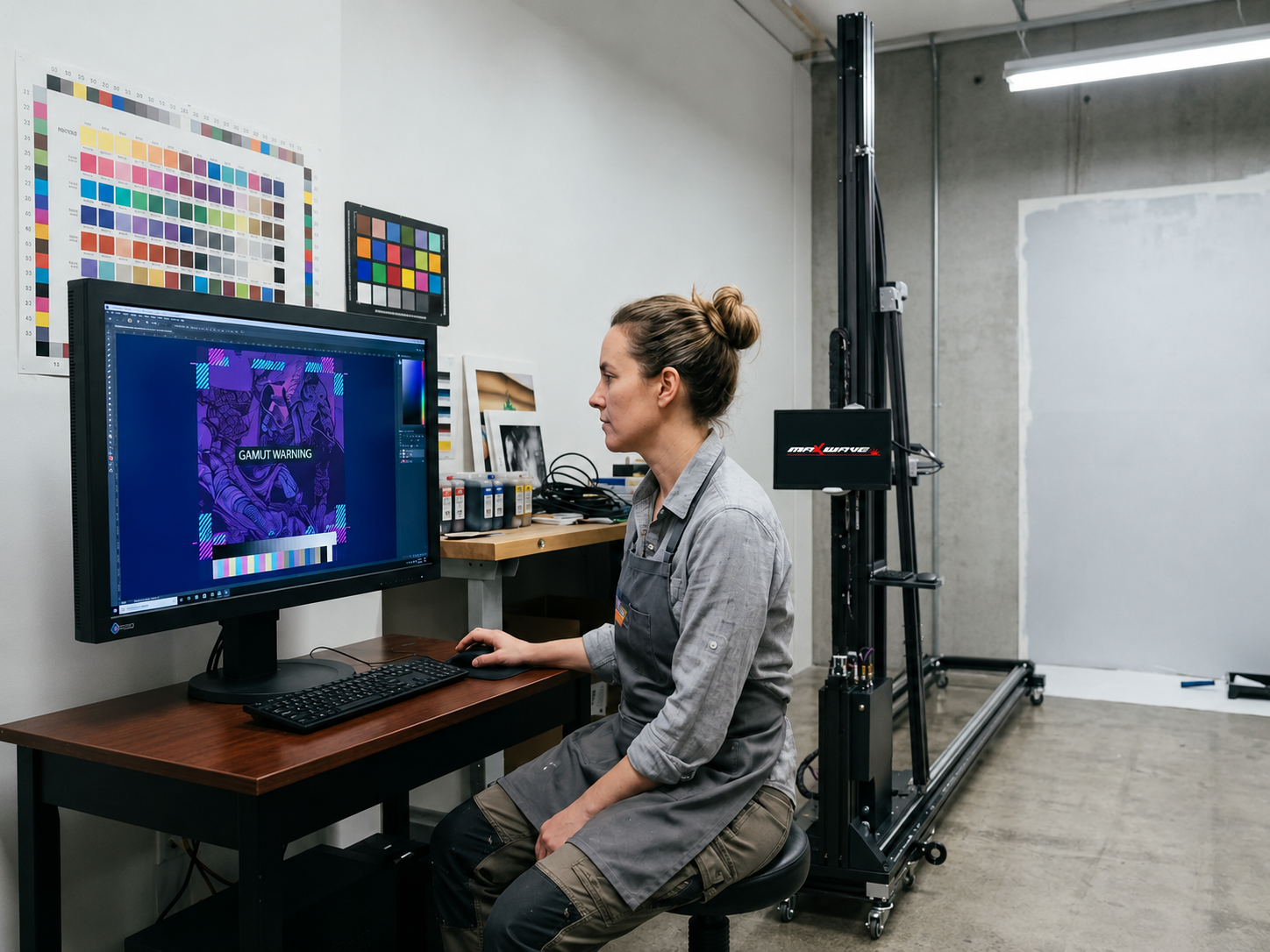
To keep multi-store output consistent, the wall printer should be calibrated using the same process at every job site. This includes machine leveling, wall distance detection, printhead status check, nozzle test, print height confirmation, starting position calibration, and RIP setting confirmation.
Printing parameters should also be recorded, including resolution, print mode, ink configuration, white ink usage, varnish usage, printing speed, and color profile. This allows different operators or different stores to maintain a similar output standard.
Step 4: Define On-Site Print Acceptance Standards
After printing is completed, acceptance should not only check whether the print is finished. It should also verify graphic position, logo proportion, edge clarity, color consistency, line alignment, ink breaks, banding, ghosting, or missing colors.
The site team should submit photos before, during, and after printing, especially full-wall photos, close-up details, logo areas, and edge positions. A store should only be marked as complete after confirmation from the regional manager or brand owner.
For restaurants, cafés, retail stores, hotels, or high-traffic commercial spaces, an optional clear protective coating can be added based on the application to improve washability, stain resistance, and long-term maintenance.
Step 5: Build a Maintenance and Review System
The process does not end when the brand wall is printed. For franchise stores, long-term maintenance is also important. High-traffic stores should be inspected every 3 months, while regular stores can be inspected every 6 months.
The review should check whether the wall print has fading, scratches, stains, cracks, peeling, or damage caused by improper cleaning. If a problem is found, local repair or reprinting should be based on the original print file and recorded parameters to ensure the repaired result matches the original brand standard.
Key Factors That Truly Affect Consistency
For multi-store wall printer projects, consistency is not achieved by simply copying the same file. It depends on unified design files, unified wall inspection standards, unified printing parameters, unified on-site acceptance procedures, and unified maintenance records.
A good SOP does not need to be complicated, but it must be followed strictly. Every store, every print, and every acceptance check should follow the same standard. This is how a brand wall can maintain a stable and consistent visual identity across different cities, locations, and environments.
Construction Timeline and Workflow: New Store Openings vs. Renovation Projects
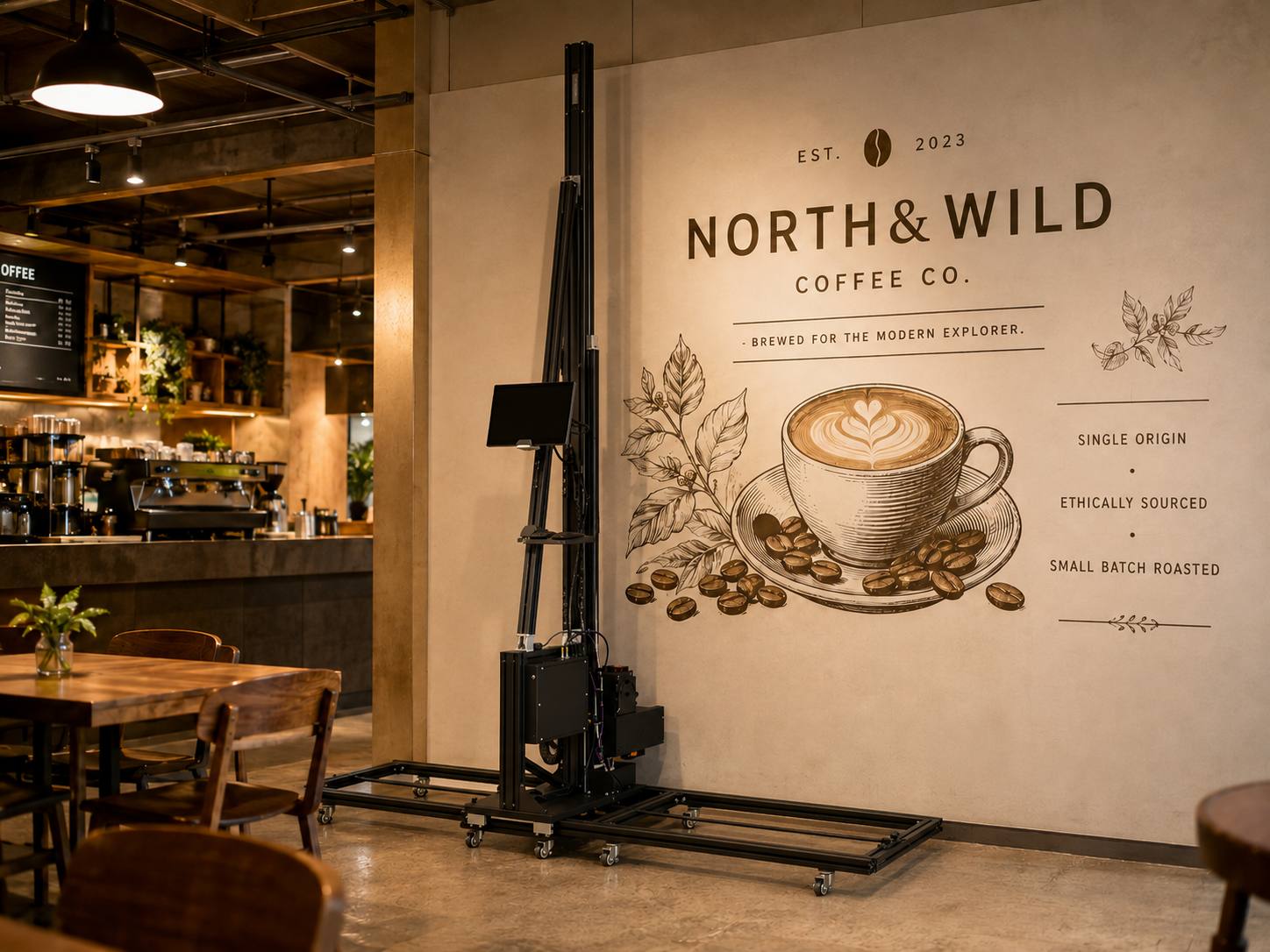
For a single location with a brand wall area of around 25–40 m², a practical direct UV wall printing timeline is usually 10–14 days. The actual printing may only take 1–2 days, but the full project also depends on site inspection, wall preparation, artwork approval, machine calibration, and final acceptance.
Stage | Timeline | Key Work |
|---|---|---|
Site Verification | Days 1–2 | Measure wall size, check flatness, wall material, humidity, power supply, and machine access |
Artwork Approval | Days 3–4 | Confirm file size, resolution, color mode, logo position, and brand color requirements |
Wall Preparation | Days 5–7 | Clean the surface, repair uneven areas, and confirm primer or coating is fully dry |
Machine Setup | Day 8 | Install the wall printer, level the machine, check printhead status, and calibrate the starting position |
On-Site Printing | Days 9–11 | Complete printing based on size, accuracy, and design complexity |
Protection & Acceptance | Days 12–14 | Add optional clear coating, inspect details, take photos, and complete handover |
Site verification must be done early. Many project delays are not caused by the printer itself, but by poor wall conditions. High humidity, uncured paint, dust, oil, or uneven surfaces can affect UV ink adhesion and final print quality. If these issues are found on the printing day, the project may require rescheduling or rework.
New Store Opening Projects
New store projects usually offer more flexible working hours because there are no customers on site. However, electrical work, carpentry, flooring, HVAC, and ceiling work may happen at the same time. Wall printing should be scheduled after dusty construction work is finished and the wall coating is fully dry.
Before printing, the team should confirm wall flatness, stable lighting, floor access, power supply, and enough space for the wall printer. A 1–2 day buffer is recommended for site cleaning, contractor coordination, and final approval.
Renovation Projects
Renovation projects require less disruption to normal business. Printing is often arranged during off-hours or overnight windows, such as 10:00 PM–6:00 AM. Furniture, floors, equipment, and nearby walls should be properly protected before printing begins.
For restaurants, hotels, malls, and office spaces, it is better to use low-odor UV ink systems and add an optional clear protective coating when the wall will face frequent cleaning, high traffic, or kitchen-related exposure.
Cost Range for Direct UV Wall Printing
Direct UV wall printing is usually priced by project or working day, not only by square footage. The final cost depends on wall condition, design complexity, print quality, site calibration, travel distance, and operator time.
Under normal job-site conditions, one wall printer with one trained operator can usually complete around 350–700 sq. ft. or 32–65 m² of finished printing per working day. A common service pricing range is about $1,500–$2,500 per working day, or roughly $2.50–$6.00 per sq. ft.
For well-planned large-area or multi-location projects, the effective cost can often be reduced to around $2.50–$4.00 per sq. ft. If a protective clear coating is required, basic protection may add about $0.50–$1.00 per sq. ft., while premium UV-resistant or anti-graffiti coatings may cost more.
Cost Optimization for Multi-Store Projects
For franchise and chain-store projects, the biggest savings come from standardized workflow, not simply from lowering the price of each store. Using the same artwork files, printing parameters, wall inspection standards, and acceptance process can reduce communication time, testing cost, and rework risk.
Store Count | Cost Optimization Source | Expected Result |
|---|---|---|
1–5 stores | Single-location execution | Baseline cost |
6–20 stores | Unified files, parameters, and consumable preparation | Around 8%–12% lower execution cost |
21–50 stores | Regional route planning, trained operators, spare parts support | Around 15%–22% lower total cost |
50+ stores | Annual planning, fixed service teams, centralized spare parts | Around 25%–30% lower total cost |
Four Execution Levers to Control
First, use one approved master artwork file and record all printing parameters, including resolution, RIP settings, print speed, color profile, and whether white ink or varnish is used.
Second, complete wall verification before scheduling printing. Each location should confirm wall size, flatness, base color, humidity, coating condition, and machine access in advance.
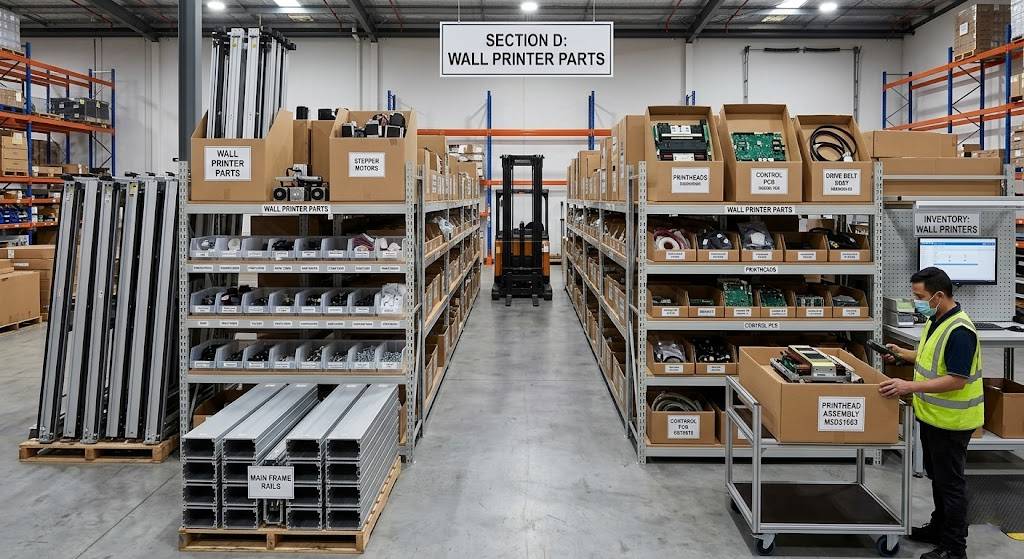
Third, prepare UV ink, cleaning liquid, dampers, filters, wipers, cap tops, encoder strips, belts, and common sensors before starting a multi-store rollout. One missing spare part can delay the entire schedule.
Fourth, set a clear photo-based acceptance process. After printing, each store should submit full-wall photos, close-up details, logo areas, and edge positions. For high-traffic or frequently cleaned areas, a clear protective coating and simple maintenance instructions are recommended.
Conclusion:Direct UV wall printing is different from wallpaper, vinyl wrap, or rigid panels. Its main advantages are on-site direct printing, seamless visual results, flexible customization, and compatibility with different commercial wall surfaces.
For franchise stores, restaurants, cafés, hotels, retail spaces, and office brand walls, a wall printer is not just a printing machine. It is a repeatable and scalable on-site branding solution when supported by standardized site inspection, file management, machine calibration, spare parts preparation, quality acceptance, and long-term maintenance.
Franchise Chain Wall Printer Supplier Qualification Checklist
Choosing the wrong supplier for a 30-store brand wall printing rollout is not a small mistake. It can lead to color differences, inconsistent logo placement, project delays, rework, and damage to brand identity.
For franchise restaurants, cafés, retail stores, hotels, and commercial spaces, a brand wall is not just decoration. It is part of the visual identity system. When evaluating a wall printer supplier or wall printing service provider, buyers should focus on equipment capability, on-site execution, color control, after-sales support, and multi-store project management.
Production Capacity and Equipment
The first step is to verify real project capability, not just machine specifications. Direct UV wall printing efficiency depends on wall condition, design size, image complexity, print quality mode, site calibration, and operator experience.
Buyers should ask for real project cases, including how many stores were completed, how much area was printed, what wall materials were used, and whether the final results remained consistent across locations.
A qualified supplier should provide wall printers with high-resolution output, stable UV ink performance, automatic height or distance sensing, rail or wheel operation, and compatibility with different commercial wall surfaces. For franchise projects, CMYK or CMYK+W configurations are useful for light walls, dark walls, logo walls, and special surfaces.
The supplier should clearly explain the printhead model, printing resolution, actual speed, maximum print height, ink type, RIP settings, calibration workflow, and maintenance requirements. If they cannot explain printhead care, color calibration, or site setup, it is a warning sign.
Color Consistency and Sample Approval
For multi-store brand wall projects, color consistency is critical. Different wall colors, lighting, materials, and site conditions can affect the final result, even when the same artwork file is used.
The supplier should have a clear color workflow, including file checking, CMYK color mode confirmation, ICC profile setup, RIP settings, test printing, and sample approval. Before full printing, buyers should request a small test print on a similar wall surface to confirm brand colors, logo accuracy, gradients, and image sharpness.
For key brand walls, logo walls, and photo walls, the sample should be approved by the brand owner or regional manager before full production. Printing parameters should also be recorded for future store rollouts or repair work.
On-Site Execution and Store Coverage
Wall printer projects depend heavily on on-site execution. The supplier should define wall requirements clearly, including flatness, surface cleanliness, primer dryness, humidity, power supply, machine space, floor condition, and access route.
For multi-store projects, the supplier should provide a standardized workflow covering site measurement, wall inspection, machine calibration, nozzle testing, starting position setup, printing, protective coating, and final acceptance.
The team should submit photos before, during, and after printing. If the supplier only sells machines but cannot provide operator training, remote technical support, installation guidance, or acceptance standards, the risk is high.
After-Sales Support and Spare Parts
Direct UV wall printers are project-based machines, so downtime can delay the entire schedule. Buyers should confirm whether the supplier can provide essential spare parts, including printheads, dampers, filters, ink tubes, wipers, cap tops, encoder strips, belts, sensors, power supplies, driver boards, and control boards.
The supplier should also provide clear information on spare parts lead time, remote diagnosis, training materials, warranty terms, and repair guidance. For multi-store projects or dealers, it is better to prepare a basic spare parts kit together with the machine.
Compliance and Indoor Safety
For restaurants, schools, hotels, malls, and office spaces, buyers should check SDS/MSDS documents for UV ink and consumables, as well as electrical safety, ventilation requirements, and maintenance guidelines.
For high-traffic or frequently cleaned walls, an optional clear protective coating can improve washability, stain resistance, UV resistance, and long-term durability.
Digital Asset and Project Management
When a rollout covers more than five stores, email and spreadsheets are not enough. The supplier should help create store-level project records, including artwork version, wall size, print area, site photos, printing parameters, schedule, acceptance photos, and maintenance records.
For franchise brands, the goal is not just to print one wall. The goal is to make every store follow the same visual standard. Centralized file, parameter, and acceptance management reduces execution differences and makes future repair or reprinting easier.
Warning Signs
Be careful if a supplier only provides machine renderings but no real project videos or cases. Other warning signs include no wall preparation guidance, no color control process, no spare parts plan, no clear after-sales response time, and only verbal service promises.
Lack of multi-store project experience is also a major risk. A franchise rollout tests not only printing ability, but also file management, project coordination, machine stability, training support, and after-sales response.
Final Supplier Scoring
Before approval, suppliers should be scored across six areas:
Equipment capability: printhead, resolution, UV ink system, print height, stability.
Color and quality: sample approval, color control, sharpness, consistency.
On-site execution: wall inspection, calibration, workflow, photo acceptance, coating options.
After-sales support: spare parts, training, remote guidance, repair response, warranty.
Project management: store records, file versioning, printing parameters, progress tracking.
Commercial terms: price, lead time, warranty, rework responsibility, service commitment.
Before a full rollout, it is safer to run a 3–5 store pilot project. The pilot should test real wall conditions, brand color performance, printing machine stability, operator workflow, after-sales response, and customer feedback. Only suppliers that perform well in the pilot should be considered for a 30-store or larger franchise rollout.
Franchise Wall Printer Implementation Examples and Before/After Documentation
Two franchise projects, two different store formats, but the same core problem: inconsistent materials, different local suppliers, and weak execution standards were slowly damaging brand consistency from one location to another.
For chain stores, a brand wall is not just decoration. It is a repeatable visual asset. The value of direct UV wall printing is that it helps standardize the file, equipment, printing parameters, and acceptance process across multiple locations.
Case 1: 18-Store Coffee Chain — From Paper Stickers to Direct UV Wall Printing
Before the upgrade, each store used local print shops for paper stickers or basic wall graphics. Different materials, inks, and finishes caused visible color differences between stores. After three to six months, some graphics began to peel, leaving adhesive residue and requiring wall repair or repainting.
The brand switched to direct UV wall printing. All locations used one headquarters-approved CMYK master file, with separate store profiles based on wall size and print area. Before printing, the team checked wall flatness, primer dryness, humidity, and surface cleanliness, then completed a small test print to confirm brand colors, logo sharpness, and the visual effect under store lighting.
Printing was scheduled during overnight windows, usually 10:00 PM–6:00 AM, to avoid interrupting business. Each site followed the same workflow: machine leveling, nozzle testing, wall distance detection, and starting position calibration. For high-touch or frequently cleaned areas, a clear protective coating was added after printing.
After implementation, the stores no longer had peeling edges, visible seams, or adhesive residue. More importantly, the brand walls became easier to keep consistent because every location followed the same file, parameters, and acceptance standards.
Case 2: 25-Store Fast-Food Chain — From Repainting to UV Wall Direct Printing
This fast-food chain previously used hand painting, vinyl graphics, and mixed decorative panels for kitchen-adjacent walls, ordering areas, and brand display zones. Because each market used different suppliers, the final color, texture, and installation quality varied widely. Walls near kitchens and high-traffic areas also suffered from grease, cleaning chemicals, and frequent wear.
The optimized solution used direct UV wall printing for main brand walls, logo walls, and customer photo areas. Printing directly on prepared walls reduced seams and material differences. For menus, seasonal promotions, and frequently updated content, the brand kept replaceable rigid panels, creating a hybrid system of fixed UV-printed brand walls + replaceable information panels.
Before printing, every store followed a unified inspection process covering surface cleaning, base color, humidity, lighting, and test printing. After printing, clear coating was added in frequently cleaned areas to improve washability, stain resistance, and long-term maintenance.
The result was shorter on-site execution, less rework, and easier maintenance. Instead of repainting entire walls, stores could handle future updates through local repair, reprinting, or protective coating refreshes.
Before/After Documentation Protocol
For multi-store wall printer projects, documentation is not paperwork. It is an audit trail for acceptance, after-sales service, training, and brand consistency review.
Before printing, the team should photograph the full wall, surface details, and site environment. Records should include wall cracks, peeling paint, stains, old coatings, outlet positions, floor condition, machine access, lighting, wall size, material, base color, humidity, and flatness.
During the test print stage, the team should record sample position, brand color performance, white ink or varnish effect, printhead condition, RIP settings, print mode, and approval result. For logo walls, key feature walls, and photo walls, approval should come from the brand owner or regional manager before full printing.
After printing, the team should capture full-wall photos, logo close-ups, edge details, texture details, protective coating areas, and overall room views. Whenever possible, photos should be taken under similar lighting conditions for easier comparison.
Recommended file naming format:
[Brand][StoreID][City][Zone][Before/After/Test][YYYYMMDD][ShotType].jpg
All records should be stored in a centralized project archive and organized by region, store ID, wall zone, and installation date. These files can later support training, maintenance, reprinting, after-sales service, and supplier evaluation.
Key Takeaway
Direct UV wall printing is well suited for franchise projects that need consistent brand visuals, seamless wall graphics, flexible customization, and easier long-term maintenance. It is not just a replacement for stickers or wallpaper. It turns the brand wall into a standardized on-site printing system.
For coffee shops, fast-food chains, retail stores, hotels, and office brand walls, success is not about making one store look good. It is about making every store follow the same file, same parameters, same workflow, and same acceptance standard.
Conclusion
A brand wall is not just decoration. It is often the first visual impression customers experience when they enter a store. For franchise restaurants, cafés, retail stores, and commercial spaces, a clear and consistent brand wall can directly strengthen the overall brand image.
If different locations show color differences, incorrect proportions, or inconsistent wall effects, direct UV wall printing can provide a more efficient solution. It supports direct printing on walls, reduces seams, peeling edges, and material joining issues, and is well suited for logo walls, photo walls, and commercial background wall customization.
What truly matters is not only the machine itself, but also unified artwork files, wall inspection, printing parameters, sample approval, and reliable supplier support.
Maintaining brand wall consistency at scale does not have to be complicated. With the right wall printer, a clear SOP, and a stable execution team, every store can present the same consistent brand identity.
Ready to create consistent brand walls across multiple locations? Contact us today to explore a direct UV wall printing solution for your project.