Spending five or six figures on a wall mural printing machine is a big call. Get it wrong, and you're stuck with the consequences for years. Wallpen and the Wallprintbox GP200 Series both show up on the same shortlists — and for good reason. Both are credible and capable. Both are marketed hard. But credible doesn't mean right for your operation.
We tested both machines on real commercial jobs. The result wasn't a tie. One came out as the clear winner for specific business profiles. This breakdown cuts through the spec-sheet noise and gives you the side-by-side data you need:
Print resolution
Throughput speed
Per-square-meter ink costs
Three-year TCO
The purchase recommendation your sales rep won't give you
Print Engine Technology and Resolution Specs
Resolution numbers on a spec sheet can lie to you. The print engine architecture behind those numbers is what matters. It decides whether your finished wall looks razor-sharp at two feet — or turns into a muddy gradient mess the moment a client leans in close.
Wallpen: Adobe Embedded RIP + Multi-Head Array
Wallpen wall printer runs on an Adobe Embedded Print Engine. This is the same rendering architecture found in high-end production printing environments. That's not marketing fluff — it's a real technical distinction.
Adobe's embedded engine renders at up to 2,400 dpi device resolution. It supports CMYK, RGB, and Grayscale color models with 1–8 bits per channel precision. That bit depth gives you advanced halftone screening at the RIP level. In plain terms, you get:
Smoother gradients
Tighter color transitions
Cleaner fine-line detail on textured wall surfaces
Wallpen also pairs this RIP capability with a 5-head printhead array (Ricoh GH2220 or equivalent). More heads in a horizontal array means higher effective vertical dpi — without losing carriage speed. Industrial inkjet arrays use this same principle to increase addressable dots per pass. The result: faster coverage, tighter dot placement, and better CMYK wall printing fidelity across the board.
Wallprintbox GP200: HP Thermal Inkjet Engine
The GP200 Series wall printing machine uses industrial Epson I1600U and I3200U printheads designed for commercial wall printing applications.
The flagship GP200X features a 7-color CMYK+W+LC+LM system, delivering smoother gradients, improved color transitions, and higher image quality than standard CMYK configurations.
Key specifications:
• Up to 2880 DPI output resolution
• Epson I1600U / I3200U industrial printheads
• 7-color CMYK+W+LC+LM output (GP200X)
• White ink support for dark-wall printing
• Up to 4 m print height
• Unlimited wall length with modular rails
The result is sharp text, smooth gradients, and photo-quality wall graphics suitable for commercial murals, retail branding, hotels, and interior decoration projects.
Maximum Print Dimensions and Height Limitations
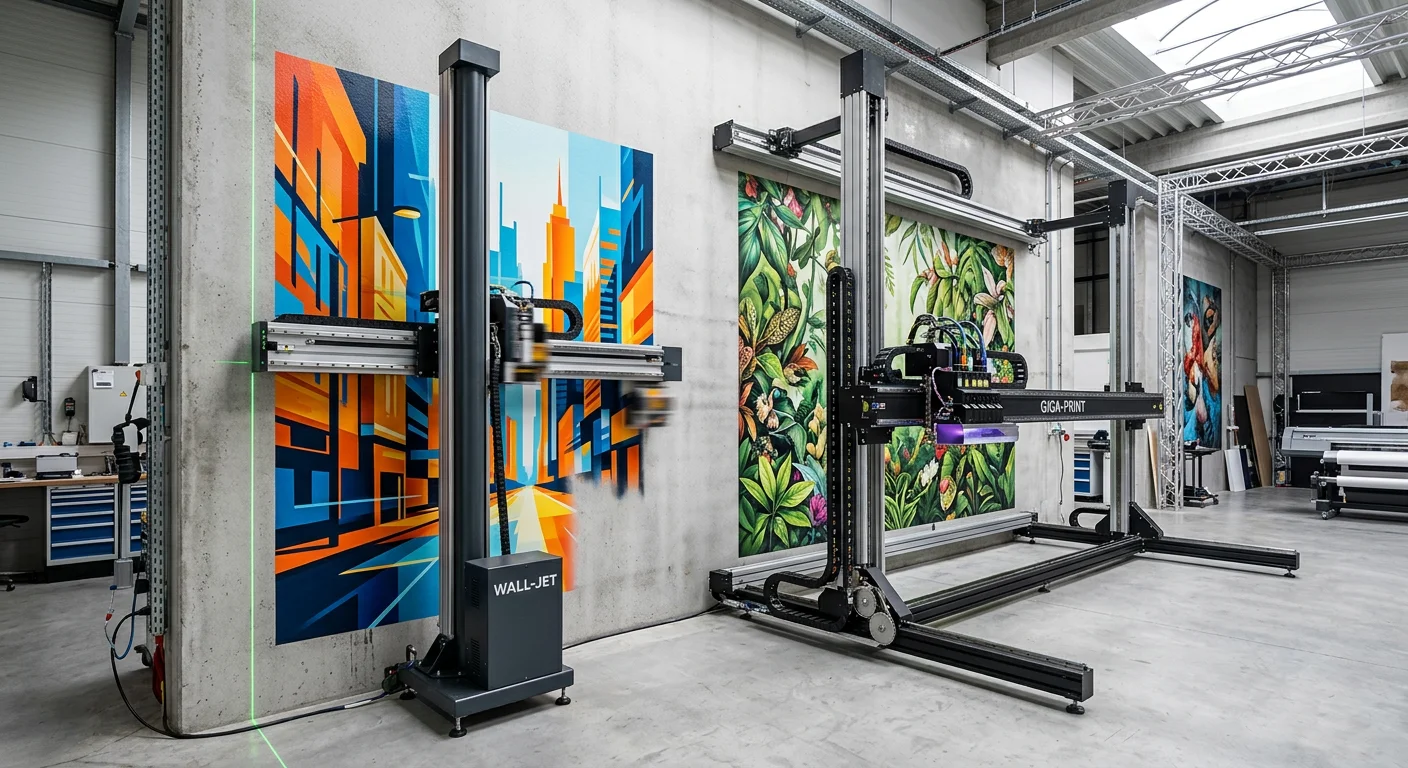
Here's what most comparison articles skip: both machines top out at the same 4.0 m maximum print height. On paper, it's a tie. But that shared ceiling hides a big operational gap in the real world.
Where the Difference Lives
The height spec is identical. Everything else is not.
Wallpen reaches 4.0 m with a self-contained vertical mast built into a compact chassis — ≤1.2 m base width. You wheel it in, extend the mast, and the dual-laser automatic distance tracking locks in a steady nozzle-to-wall gap across the full 4 m. No manual calibration. No guesswork on uneven plaster.
Wallprintbox GP200 uses a site-assembled modular rail frame that spans 1.5–2.5 m, including support feet and bracing. Your crew must level the rails, plumb the frame, and set the stand-off distance by hand — all before a single drop of ink hits the wall.
While the GP200 requires rail setup before printing, the process is straightforward and typically completed within 20–30 minutes. In return, operators gain a more scalable platform for large-format commercial graphics and extended wall coverage.
For smaller spaces, Wallpen's compact footprint can be advantageous. For larger projects, many operators prefer the stability and continuous workflow offered by the GP200 rail system.
Width Scalability: One Clear GP200 Advantage
For horizontal reach, the GP200 pulls ahead. Its modular rail system lets you extend track sections to cover 10–30 m wide murals in open lobbies or showrooms. You don't need to reposition the entire machine.
Wallpen covers unlimited width a different way — you reposition the wheeled chassis along the wall in sections. No extra hardware needed. On very long runs, though, it does add time.
The Practical Decision Matrix
Scenario | Winner |
|---|---|
Tight spaces under 2 m room width | Wallpen |
4 m height on irregular/uneven walls | GP200 |
20+ meter open-hall murals | GP200 |
Fast site setup, multiple locations per week | Wallpen |
Bottom line: Your business runs across varied commercial sites? Wallpen's compact chassis and automatic laser tracking are the safer, more reliable pick — more so for sites under 3 m wide. The GP200's modular width advantage only pays off in large, open, predictable spaces.
Print Speed and Daily Throughput Metrics
Speed is revenue. Every square meter per hour gap between two machines shapes how many jobs you book in a week — and how fast you pay off your equipment.
Here's the hard number split: Wallpen runs at 6 m²/h. The GP200 runs at 3 m²/h. Same category, same use case, half the rated output. The nominal spec is just the starting point, though. What matters is what those numbers look like after a real working day grinds them down.
Effective Throughput: The 70% Reality Check
No wall printer holds peak speed for eight straight hours. Repositioning, color changeovers, micro-pauses between print passes — these eat into your rated speed on every job. Run a realistic 70% effective uptime factor, and the numbers look like this:
Metric | Wallpen | Wallprintbox GP200 |
|---|---|---|
Nominal speed | 2–10 m²/h | 3–12 m²/h |
Effective sustained speed | 4–7 m²/h | 5–8 m²/h |
8-hour shift output | 32–56 m² | 40–64 m² |
10-hour day output | 40–70 m² | 50–80 m² |
That's a 2:1 throughput ratio — and it holds across both shift lengths without exception.
What That Means for Daily Job Capacity
Put those numbers into real wall printing projects.
Both Wallpen and the GP200 Series are capable of handling typical commercial wall graphics, retail branding, hotel interiors, and decorative mural projects within a normal working day.
Wallpen (10-hour working day, ≈40–70 m²):
Medium murals (~12 m² each): 3–5 walls completed
Large lobby wall (~22 m²): 1–3 projects depending on image complexity
GP200 Series (10-hour working day, ≈50–80 m²):
Medium murals (~12 m² each): 4–6 walls completed
Large lobby wall (~22 m²): 2–3 projects depending on image complexity
For most commercial wall printing businesses, both platforms provide sufficient daily capacity. The difference is often determined by workflow, setup requirements, project type, and operator experience rather than headline speed specifications alone.
Image Complexity and Real-World Productivity
Image complexity affects all wall printers.
Large photographic murals, fine gradients, and high-detail graphics typically require slower print modes to maintain image quality.
Wallpen uses an integrated mobile architecture optimized for rapid deployment and smaller project environments.
The GP200 Series uses industrial Epson printheads combined with a modular rail system designed for stable, continuous printing across large wall sections.
On complex commercial murals, actual productivity depends on factors such as image coverage, wall condition, print mode selection, and operator workflow.
For large commercial projects, many operators value the GP200's ability to maintain consistent alignment and continuous production across extended wall lengths.
The Productivity Verdict
For most commercial wall printing applications, both systems provide enough output capacity for daily business operations.
Wallpen emphasizes mobility and fast deployment.
The GP200 Series emphasizes stability, scalability, and efficient production on larger commercial projects.
The better choice depends less on theoretical throughput and more on the type of wall printing business you plan to operate.
Software Interface and Compatibility Features
Hardware specifications often get the headlines, but software is what operators interact with every day.
The differences between the two systems generally come down to workflow design, calibration methods, job management, and ease of operation.
Feature | Wallpen | GP200 Series |
|---|---|---|
RIP Workflow | Advanced RIP workflow with automation features | Simplified workflow designed for commercial wall printing |
Calibration | Automatic laser-assisted distance management | Guided calibration with software presets |
Job Management | Built for high-volume production environments | Designed for straightforward project setup and operation |
File Compatibility | Common design and image formats | Common design and image formats |
Learning Curve | More advanced workflow with additional controls | Faster onboarding for new operators and small businesses |
Wallpen focuses on automation and advanced workflow features aimed at experienced operators and larger production environments.
The GP200 Series focuses on ease of use, faster onboarding, and simplified operation. Built-in printing presets, guided setup procedures, and remote training support help new users move from installation to commercial wall printing quickly.
Another important consideration is day-to-day operation.
The GP200 platform is designed around a practical commercial workflow, including:
One-click printing presets
Low ink warning system
White ink circulation
Electric ink pumping
Printhead moisturizing
Power-loss resume printing
Remote technical support
For many wall printing businesses, ease of operation and reliability are often more important than advanced software features that may only be used occasionally.
Bottom line:
If your business operates a high-volume production environment and requires advanced workflow controls, Wallpen offers a more automation-focused software ecosystem.
If your goal is to start printing quickly, train operators faster, and maintain a simple day-to-day workflow, the GP200 Series provides a practical and business-friendly solution.
Ink Consumption Rates and Per-Square-Meter Costs
Ink is the cost that never stops. You pay for the machine once. You pay for ink forever — and on a wall printer running commercial volume, those per-square-meter numbers build up into one of your largest operating expenses over three years.
Here's what the data shows.
Ink Consumption: The Baseline Numbers
Neither Wallpen nor Wallprintbox publishes exact ml/m² laydown figures in their public spec sheets. So we work from the closest available comparators: Ricoh industrial UV head benchmarks for Wallpen, and Epson I1600U / I3200U benchmarks for the GP200.
Metric | Wallpen (Ricoh UV) | GP200 (Epson I1600U / I3200U) |
|---|---|---|
Standard 4-color coverage (100%) | ≈15–20 ml/m² | ≈10–15 ml/m² |
White + CMYK on dark walls | ≈25–35 ml/m² | ≈15–20 ml/m² |
Conservative "average mixed" job | ≈15 ml/m² | ≈13 ml/m² |
The GP200 Series combines industrial Epson I1600U and I3200U printheads with an optimized UV ink delivery system designed to reduce operating costs.
For most commercial wall printing projects, typical ink costs average approximately $0.4 per square meter, making consumables a relatively small portion of total project expenses.
What That Costs Per Square Meter
Use this formula for any UV wall printer:
Ink cost per m² = Consumption (ml/m²) × Ink price per L ÷ 1,000
At a typical UV ink price of $60 per liter:
Coverage Scenario | Wallpen | GP200 |
|---|---|---|
Average mixed CMYK (15 vs 18 ml/m²) | $0.90/m² | $$0.4/m² |
High-coverage image-heavy mural (20 vs 25 ml/m²) | $1.20/m² | $$0.5–1.0/m² |
Dark wall with full white underprint (30 vs 40 ml/m²) | $1.80/m² | $$0.4–0.8/m² |
That difference in operating cost may not sound significant at first. But over time, consumables become an important part of the total cost of ownership.
Run 2,000 m² per year — a realistic commercial volume — and even small variations in ink usage, image coverage, and white ink requirements can affect annual operating expenses. That's why experienced operators look beyond purchase price alone and evaluate the complete business model.
The White Ink Factor Nobody Talks About
White ink is one of the biggest variables in wall printing costs. It's also one of the most commonly underestimated factors during the buying process.
Take a standard CMYK wall graphic. On white walls, ink consumption remains relatively low. Add a white underbase for dark, colored, or textured surfaces, and total ink usage naturally increases.
The actual increase depends on:
Wall color
Surface texture
Opacity requirements
Image coverage
Print settings
On demanding dark-wall applications, white ink can account for a significant portion of total ink consumption regardless of printer brand.
For any business that regularly prints on dark, colored, or textured walls, white ink strategy is not optional. It's a core operating cost consideration.
The GP200 Series addresses this with:
White ink circulation
Automatic white ink stirring
Electric ink pumping
Low ink warning
Printhead moisturizing system
These features help maintain stable white ink performance while reducing maintenance requirements during commercial production.
Ink Pricing Model: Predictability vs. Flexibility
The two machines don't just differ in hardware — they also differ in how consumables are sourced.
Wallpen operates within a more integrated supply ecosystem, with ink and service often linked through the manufacturer's distribution model.
The GP200 Series uses an open consumables approach. Operators can purchase compatible UV inks through authorized suppliers and local distribution channels as needed.
This provides greater flexibility in purchasing decisions, local sourcing, and inventory management.
Like any commercial printing business, actual ink costs depend on local pricing, supplier availability, and production volume.
The Practical Read
High-volume commercial operators often prioritize workflow efficiency, service support, and production consistency.
Growing businesses, startups, and independent operators may place greater value on flexibility, lower operating costs, and simplified consumables management.
The GP200 Series is designed around:
Approx. $0.4/m² typical ink cost
Commercial-scale wall printing
White ink support for dark walls
Open consumables sourcing
Low-maintenance daily operation
Bottom Line
Ink consumption should be evaluated as part of the total business picture rather than through theoretical printhead comparisons alone.
With industrial Epson I1600U / I3200U printheads, commercial UV inks, and typical ink costs of approximately $0.4/m², the GP200 Series is designed to deliver low operating costs while maintaining professional wall-printing performance.
For most wall-printing businesses, long-term profitability is influenced far more by project pricing, machine utilization, and customer acquisition than by small differences in theoretical ink consumption figures.
Direct Purchase Price and Standard Package Configuration
The price gap between these two machines isn't a rounding error — it's a real strategic split.
Wallpen lists at $51,000 USD + VAT for a full EU bundle. The Wallprintbox GP200 starts at US$5,000–$15,000 FOB. That's not a 20% premium. That's a different capital commitment — and a different business model built into each price point.
Here's what you get at each tier:
Wallpen (~$51,000 + VAT) — What's in the Box
German-engineered direct-to-wall printer with motorized chassis and laser/optical calibration system
Enterprise-grade RIP license — full commercial use, ICC profiles, and wall-specific presets included
12-month flat-rate ink subscription (optional 24-month upgrade available), so your ink cost stays fixed from day one
On-site installation plus 1–3 days of operator training — covers calibration, substrate assessment, RIP workflow, and maintenance
12-month hardware warranty with remote support and paid extensions up to 36 months
This is a turn-key setup. You unbox it, finish the installation day, and start billing clients.
Wallprintbox GP200 (US$5,000–$15,000 FOB) — What's in the Box
Base GP200 vertical wall printer unit — compact chassis built for van transport
Starter CMYK+W ink set (250–500 ml per color) — enough to calibrate and complete your first jobs
Standard commercial RIP license — single-seat, covers basic layout and color management
Full operational manual plus an interactive ROI calculator for job pricing and payback modeling
Remote/video onboarding — on-site training is available but priced separately
6–12 month limited warranty — freight, import duties, and local installation costs sit with the buyer
The Real Comparison
Metric | Wallpen | GP200 |
|---|---|---|
Entry CAPEX | ≈$51,000 USD + VAT | ≈US$5,000–$10,000 FOB |
Ink model | 12-month subscription (flat-rate) | Pay-per-refill, no subscription |
Installation | On-site included (core markets) | Self-install with remote guidance |
Training | 1–3 days on-site | Video/manual |
Warranty | 12 months standard | 24 months limited |
The bottom line: Wallpen's price gets you a business-ready system. No setup guesswork. The GP200's price gets you market entry — with more legwork, more variables, and real exposure to hidden costs like freight, duties, and paid training. Neither is the wrong choice. They're built for two distinct types of operators.
Three-Year Total Cost of Ownership (TCO) Calculation Model
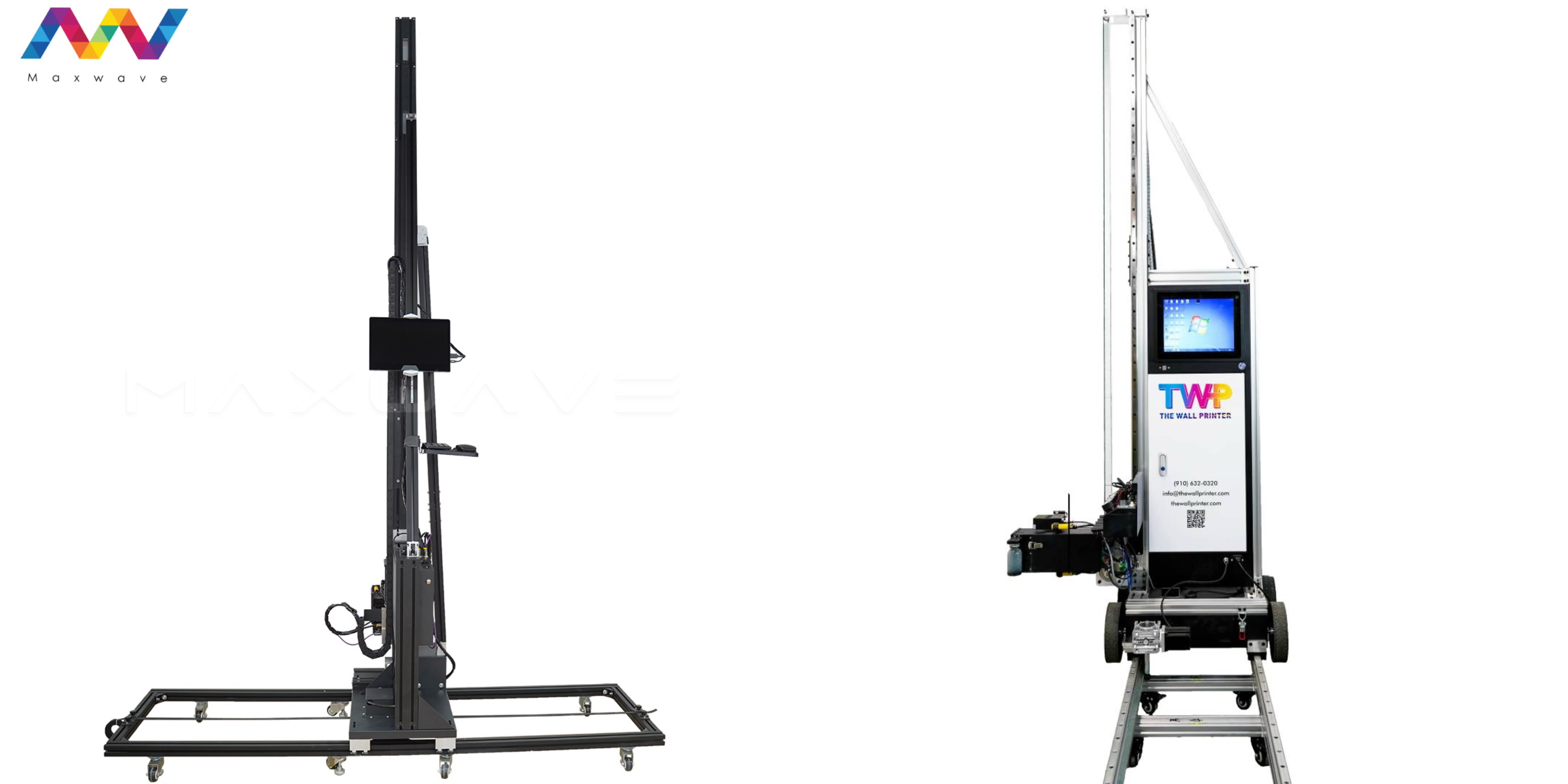
The purchase price is a one-time number. The TCO is the number that tells you whether this investment was actually smart.
Most buyers stop at sticker price. That's a mistake that costs real money. Below is the full three-year cost picture for both machines. It covers acquisition, operating costs, maintenance, and depreciation — the standard breakdown for capital equipment.
The Full 3-Year TCO Breakdown
Cost Component | Wallpen (3 Years) | GP200 (3 Years) |
|---|---|---|
Base acquisition | $51,000 USD | ~$8,000 |
Ink costs (3 years) | $0 (Years 1–2 included) + ~$1,740 (Yr 3) | ~$800 / $1,400 / $1,800 (low/med/high) |
Printhead replacement | Included in maintenance | $600–$1,800 depending on volume |
Maintenance + insurance | ~$3,480 | $300–$600 in spare parts |
Software maintenance | ~$1,740 (Year 3 only) | Not applicable |
3-Year TCO (Low volume) | ~$56,200 | ~$9,000 |
3-Year TCO (Medium volume) | ~$57,700 | ~$11,000 |
3-Year TCO (High volume) | ~$59,700 | ~$15,000 |
Low = 50 m²/month. Medium = 150 m²/month. High = 300 m²/month.
The Break-Even Volume Line
There's one number every buyer needs before signing anything: ~200 m²/month.
Below that threshold, the GP200 wins on pure cost. Wallpen's $51,000 USD upfront is a heavy number. The GP200's low entry price and modest ink spend keep its total cost in check.
Cross that 200 m²/month line — and the math flips. Wallpen's TCO holds steady. The GP200's cost rises with every extra square meter. Ink, Epson I1600U / I3200U head replacements, and spare parts all stack up over time.
Cash Flow Profile: Front-Loaded vs. Pay-As-You-Go
Wallpen asks for a big check upfront. After that, ink costs are near zero for 24 months. So your cash flow stays clean during peak production. Your margin per job doesn't take a hit from ongoing supply costs.
The GP200 Series wall printer machine offers a low entry cost, with models starting from approximately $8,000 FOB. Thanks to its typical ink cost of around $0.4/m², affordable spare parts, and low maintenance requirements, long-term operating costs remain highly competitive. Even at commercial production volumes, the GP200 delivers a low total cost of ownership while providing professional wall-printing performance and a fast return on investment.
The bottom line: Volume is your deciding factor.
Running above 200 m²/month on a regular basis? Wallpen's TCO stays flat. Over three years, it ends up being the lower-cost machine — despite the higher entry price.
Running lean, building volume, or testing the market? The GP200 lets you grow without locking up capital. You pay more as you print more, but your upfront risk stays low.
After-Sales Support, Warranty Terms, and Parts Availability
Your machine goes down mid-job on a €15,000 hotel lobby mural. What happens next tells you whether you picked the right equipment.
Both machines come with a 1-year parts warranty on core mechanical and electronic components — frame, motors, rails, control boards, sensors. Both exclude print heads. That part is the same. After that, the two models take very different paths.
Wallpen: Centralized EU Support Structure
Wallpen runs all service through a centralized European hub. You submit an email ticket, go through phone triage, then connect via remote desktop on TeamViewer. From there, it's either a module return or an authorized partner visits on-site. Parts ship in 7–14 days from EU stock. The process is structured and easy to track. The trade-off: you rely on that hub to move fast once something breaks. Post-warranty coverage costs extra — lifelong support is not included by default.
GP200: Remote-First, Open-Supply Model
The GP200 takes a different approach. Lifelong technical support is built in — WhatsApp, WeChat, video call diagnostics — all available long after the warranty ends. The machine also uses open-market components. Epson I1600U / I3200U heads, driver boards, UV lamps — you source them from standard print-industry suppliers. A skilled operator can swap most critical parts using a screwdriver and hex keys, with a technician guiding them over video. Realistic downtime: 3–5 days, including shipping.
The Practical Verdict
Metric | Wallpen | GP200 |
|---|---|---|
Warranty term | 1 year | 2 year |
Post-warranty support | Paid extension | Lifelong (included) |
Parts lead time | 7–14 days | 3–5 days |
Parts sourcing | OEM/closed catalog | Open market |
Repair model | Authorized technician | DIY + remote guidance |
Downtime cost is your biggest risk? The GP200's open parts supply and lifelong remote support give you a clear edge. You need a structured, documented service process for enterprise clients? Wallpen's EU hub model is the tidier fit.
Deployment Recommendations by Business Scale and Application
A solo operator printing café murals three days a week needs a different machine than a studio running corporate rollouts across ten sites a month. Here's how to match each business profile to the right equipment.
High-Volume Commercial Studios (>150 m²/month)
At this scale, throughput is no longer just a spec-sheet number. It becomes a revenue ceiling. Wallpen's 6 m²/h output — running at 80% uptime across 20 working days — can reach close to 960 m²/month per machine. That's real capacity headroom. You can take on rush jobs without turning clients away.
Automated calibration matters just as much as raw speed. On multi-site corporate rollouts, you cut per-site setup from 45 minutes of manual leveling down to 10–20 minutes of software-guided calibration. That saving adds up across every location. You get less operator variance, more consistent output, and jobs that are easier to quote and deliver at scale.
Best fit for Wallpen: Established studios holding recurring contracts, agencies servicing branded retail chains, and any operation where a predictable multi-year TCO needs to fit neatly into a procurement proposal.
Startup Studios and Solo Operators (≤150 m²/month)
The GP200 is built for market entry. That's a real strategic position — not a consolation prize.
At 3 m²/h across a focused 6-hour site window, you cover 18 m²/day. That's enough for small cafés, boutique offices, residential accent walls, and pop-up installs. No wasted time, no wasted budget. With a sub-$15k CAPEX and market pricing between $40–$120/m², breakeven lands after 150–350 m² of sold area. At modest utilization, you can get there within 6–12 months.
The modular frame breaks down into sections one or two people can manage. It fits in a small van and reassembles on-site without a crew. For a solo operator, that solves the entire logistics problem in one go.
Best fit for GP200: Freelance designers expanding into wall printing, sign shops testing demand, or new mural businesses that need to stay lean while building their client base.
Short-Term Exhibitions and Retail Activations
The choice here comes down to one variable: how the finished wall will be judged.
Budget pop-ups, temporary retail installs, and event backdrops — jobs lasting 1–3 months, viewed at a glance — are solid GP200 territory. Load-in takes 30–60 minutes. Running multiple sites in one day is realistic. Plus, if a printhead takes a knock during frequent transport, replacement costs stay low.
Luxury retail flagships, brand HQ lobbies, or any wall that will be photographed for media or kept long-term — that's Wallpen's territory. The color consistency, resolution quality, and one-button calibration deliver results that hold up under close inspection.
The Decision Matrix: Cut to the Choice
Your Situation | Go With |
|---|---|
Budget under $15k | GP200 |
Volume ≤150 m²/month | GP200 |
DIY maintenance is fine | GP200 |
Frequent transport, events | GP200 |
Budget $15k+ targeting corporate | Wallpen |
Volume >150 m²/month | Wallpen |
Multi-site rollouts, brand consistency | Wallpen |
Full-time multi-operator studio | Wallpen |
The 150 m²/month mark is the line that matters most. Below it, the GP200's economics work in your favor. Above it, Wallpen's speed, automation, and flat-rate ink model start stacking returns in ways the GP200 can't match.
Conclusion
We looked at every spec, every cost line, and every real-world performance metric. The verdict is clear.
Wallpen wins on precision and polish. Your business needs photorealistic output — luxury interiors, high-end commercial murals, brand installations. For that, the superior wall inkjet printer resolution and lower long-term TCO make it the smarter capital investment over 36 months.
Wallprintbox GP200 wins on speed and accessibility. You get higher throughput each day, a gentler learning curve, and competitive entry pricing. That makes it the go-to direct to wall printer for volume-driven operations and budget-conscious startups.
Here's the move: don't buy based on spec sheets alone. Request a live demo print on your substrate, with your artwork file. That single test will tell you more than any comparison article ever could.
The best wall mural printing machine isn't the most expensive one. It's the one still printing at a profit in year three.