Wall printers and floor printers may use similar UV inkjet technology, but they are designed to print in different directions and operate under different working conditions.
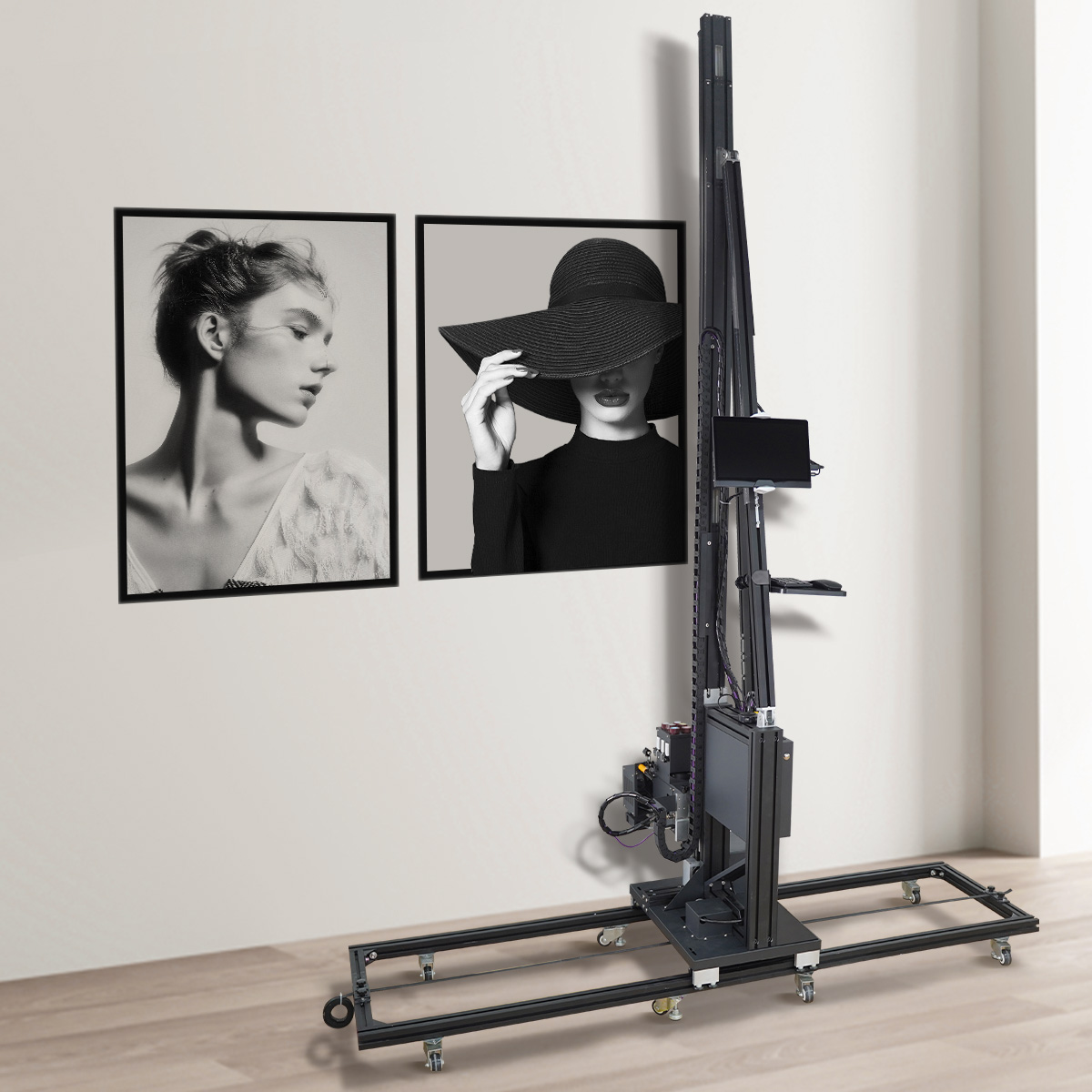
A wall printer moves vertically while maintaining a controlled distance from the wall. A floor printer travels horizontally over a surface that may later face foot traffic, furniture, carts, cleaning chemicals, and daily abrasion.
So, can one machine really print on both?
Yes. A properly designed 2-in-1 wall and floor printer can produce images on both vertical and horizontal surfaces. However, the machine must be built to convert reliably between the two orientations, and floor printing normally requires additional preparation and protection.
The important question is not simply whether the machine can place ink on both surfaces. It is whether it can maintain acceptable alignment, print quality, UV curing, and durability in both modes.
This guide explains the differences between wall printers and floor printers, how a 2-in-1 system works, and what you should verify before purchasing one.
Wall Printer vs Floor Printer: Quick Comparison
Comparison Factor | Wall Printer | Floor Printer | 2-in-1 Wall and Floor Printer |
|---|---|---|---|
Printing direction | Vertical | Horizontal | Converts between both orientations |
Typical applications | Murals, brand walls, interior decoration, façades | Retail floors, event graphics, showrooms, decorative concrete | Businesses offering both wall murals and floor graphics |
Main mechanical requirement | Stable vertical movement and wall-distance sensing | Stable horizontal tracking and floor clearance | Rigid conversion structure with repeatable alignment |
Recommended ink | UV ink for wider material compatibility | UV ink with a suitable protective system | UV ink, usually with optional white ink |
Main durability concern | Adhesion, fading, moisture, and surface variation | Abrasion, cleaning, impact, and slip resistance | Must satisfy both wall and floor requirements |
Main advantage | Optimized for wall projects | Optimized for floor projects | Expands services with one machine |
Main limitation | Normally cannot print floors | Normally cannot print walls | Additional conversion and finishing steps |
The core difference is simple:
Wall printing is mainly an adhesion and positioning challenge. Floor printing adds abrasion, wear, and safety requirements.
Can a Wall Printer Also Print on Floors?
A standard wall printer cannot automatically print on floors simply because it uses UV ink.
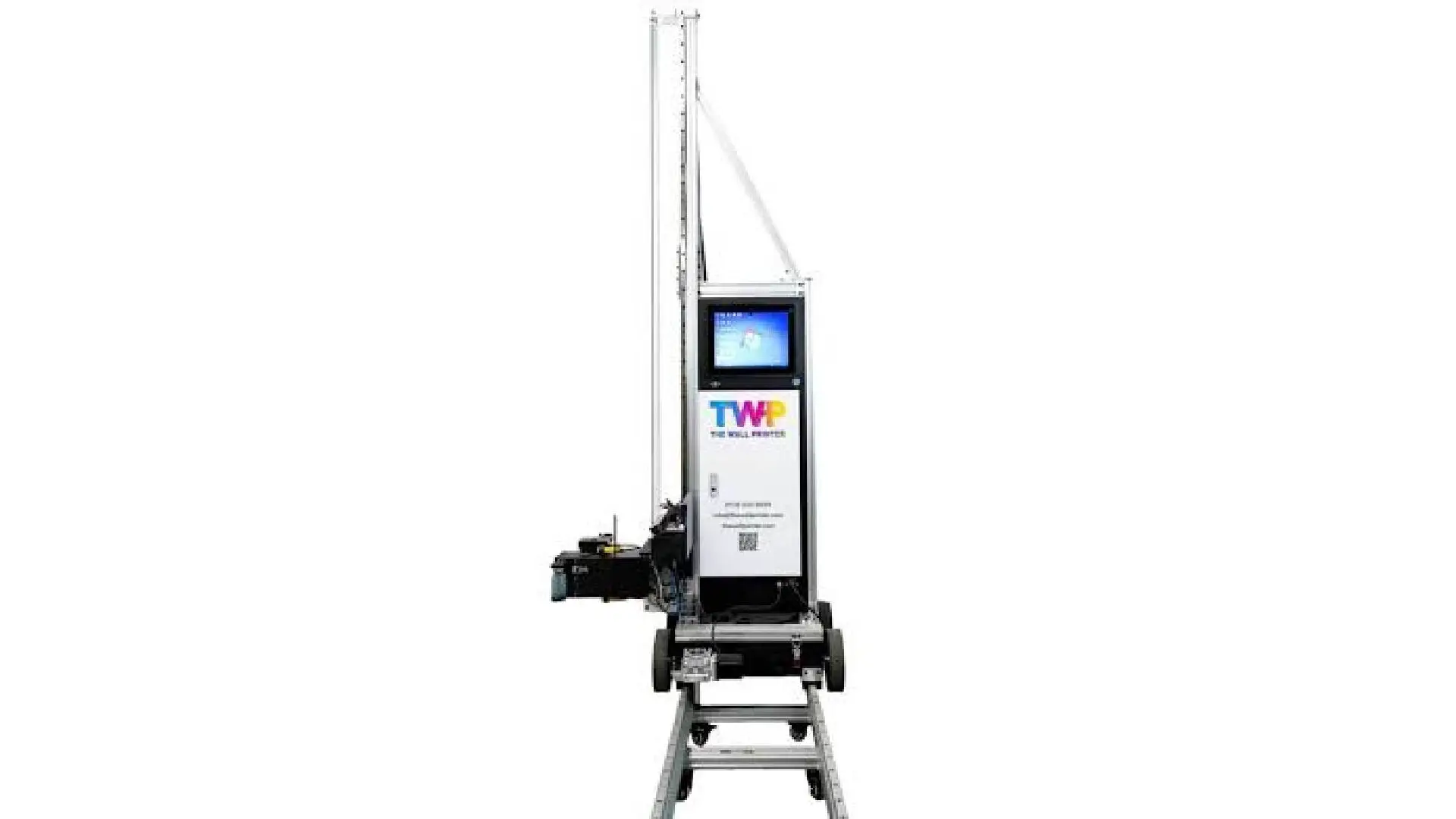
The printhead is normally mounted to face a vertical surface. The rail system, distance sensors, carriage movement, cable routing, and software coordinates are also configured for vertical printing.
To print a floor, the printhead must face downward while maintaining a safe and consistent distance from the surface. The motion system must also travel horizontally without drifting, tilting, or losing alignment.
A true 2-in-1 machine normally solves this in one of two ways.
Some systems use a convertible printing module that rotates or remounts the printhead assembly between wall and floor modes. Other machines reposition the column or rail structure so the same carriage can move horizontally.
Both approaches can work. What matters is whether the converted structure remains rigid and returns to the correct calibration position each time.
A machine that requires lengthy disassembly and repeated trial-and-error calibration may technically support two surfaces, but it may not be practical for daily commercial use.
The WallPrintBox 2-in-1 wall printer, for example, is designed around a fast wall-to-floor conversion process. Operators can switch between vertical and horizontal printing without rebuilding the entire machine or spending a long time on complicated mechanical adjustment.
For businesses that need to complete wall and floor graphics during the same project, a faster changeover means less non-billable setup time and a quicker return to productive printing.
Before buying any 2-in-1 system, ask the supplier to demonstrate the entire conversion process, including calibration and the first finished print after switching modes.
The most useful figure is not “supports wall and floor printing.” It is the total time required to change modes and produce an aligned, customer-ready image.

How Do Wall and Floor Printing Requirements Differ?
Although both systems may use similar printheads and UV inks, wall and floor projects place different demands on the machine.
Wall Printing Requires Accurate Distance Control
Walls are rarely completely flat.
Painted drywall may contain slight waves, while brick, concrete, stone, and textured plaster can vary significantly across the print area.
If the printhead moves too close, it may strike the surface and become damaged. If it moves too far away, the ink droplets may lose placement accuracy, causing blurred edges or distorted details.
A commercial wall printer should therefore include reliable wall-distance sensing and collision protection.
The system should maintain a consistent printhead gap while the carriage moves vertically. It should also stop or alert the operator when surface variation exceeds the safe printing range.
This is especially important for brick walls, outdoor murals, textured concrete, and other uneven commercial surfaces.
Floor Printing Requires Stable Horizontal Tracking
Floor printing presents a different challenge.
The machine must travel horizontally without drifting or changing its distance from the floor. Even a small slope, joint, or uneven section can affect image alignment during a long continuous print.
The frame, wheels, rails, or tracking system must remain stable throughout the full print area.
Dust and debris are also more important because they sit directly on the printing path. A small particle may interfere with the printhead clearance, ink adhesion, or final finish.
Floor printing therefore normally requires thorough vacuuming, degreasing, drying, and inspection before printing begins.
Why Do 2-in-1 Machines Usually Use UV Ink?
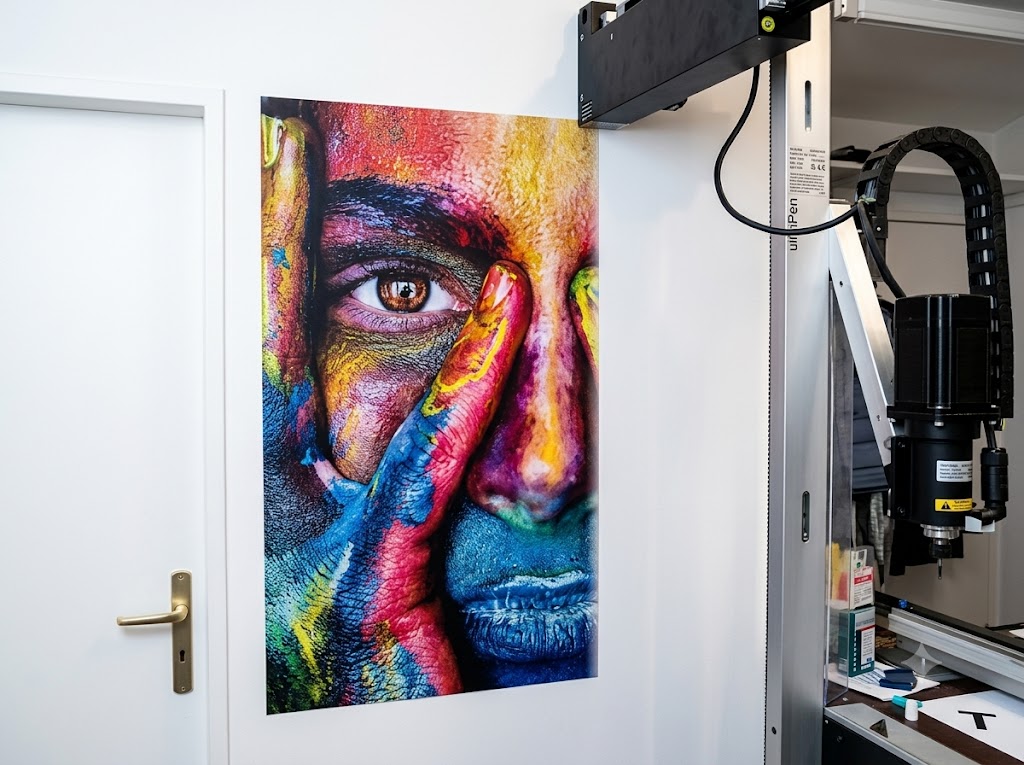
A 2-in-1 wall and floor printer normally uses UV-curable ink because it can print on a wide range of prepared rigid surfaces and cures immediately under UV-LED light.
This allows the same machine to move between materials such as painted walls, concrete, wood, glass, tile, and coated floors.
A system with CMYK + White ink can also print on dark, colored, or transparent surfaces. The white layer creates an opaque base beneath the image, helping the colors remain bright and accurate.
However, UV ink alone does not guarantee strong adhesion.
Polished tile, sealed concrete, glass, metal, and low-surface-energy coatings may still require cleaning, light abrasion, primer, or an adhesion promoter.
The correct preparation depends on the surface, ink formulation, and expected use.
A reliable supplier should explain which materials can be printed directly and which need pretreatment.
“Prints on any surface” is not a trustworthy specification. Request an adhesion test using your actual material.
Floor Prints Need More Than Durable Ink
A wall mural may need to resist moisture, sunlight, touching, and routine cleaning.
A floor graphic must also withstand shoes, carts, furniture, dirt, abrasion, impact, and repeated washing.
This makes the finishing process one of the biggest differences between wall and floor printing.
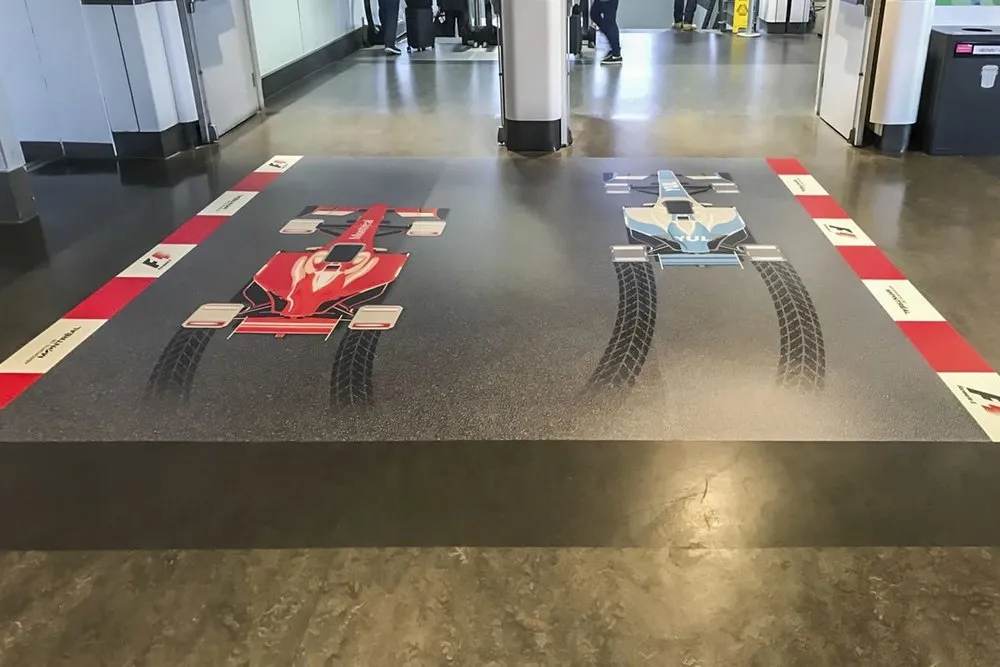
A UV floor print may look excellent immediately after printing but wear quickly if it is left unprotected in a high-traffic area.
Depending on the application, the printed floor may require a compatible transparent topcoat, an abrasion-resistant finish, anti-slip treatment, additional curing time, and periodic recoating.
A lightly used showroom floor has very different requirements from a shopping center, restaurant, warehouse, or event entrance.
Commercial floor graphics may also need to comply with local slip-resistance and safety requirements.
Before buying a 2-in-1 machine, ask the supplier to demonstrate the complete floor-printing process—not only the printing itself.
The test should include surface cleaning, pretreatment, UV printing, protective coating, curing time, and an abrasion or wet-rub test.
If a supplier promotes floor printing without explaining wear protection and anti-slip treatment, the solution is incomplete.
Can a 2-in-1 Printer Deliver the Same Quality in Both Modes?
A well-designed 2-in-1 printer can produce professional results on both walls and floors, but buyers should not assume that the two modes will use identical settings or achieve identical speeds.
Wall murals viewed from a short distance may require higher resolution and more print passes, especially for photographs, detailed illustrations, gradients, and small text.
Floor graphics may prioritize solid color coverage, adhesion, and wear resistance over microscopic detail. They may also require different ink density, white-layer settings, and protective finishing.
The same machine will therefore normally need separate profiles for painted walls, brick, concrete floors, tile, or epoxy-coated surfaces.
The key requirement is repeatability.
After changing modes, the printhead position, distance sensors, focus, and software coordinates should return to a known calibration point.
If the operator must repeatedly correct alignment by trial and error, the conversion process will consume time, ink, and test materials.
Request separate sample tests for wall and floor modes. Each test should clearly state the material, print area, DPI, pass count, use of white ink, printing time, and finishing process.
Do not accept one maximum-speed figure that supposedly represents both orientations.
What Surfaces Can a 2-in-1 Wall and Floor Printer Handle?
The exact material range depends on the ink, printhead, UV curing system, distance control, and surface-preparation process.
Typical wall applications may include painted drywall, plaster, brick, concrete, wood, glass, metal, and ceramic tile.
Typical floor applications may include sealed concrete, tile, wood flooring, epoxy-coated surfaces, exhibition boards, and other prepared rigid materials.
Not every floor is suitable for direct printing.
Loose, dusty, oily, wet, heavily polished, flexible, damaged, or unstable surfaces may cause adhesion failure regardless of machine quality.
Before accepting a customer project, operators should confirm that the surface is clean, dry, structurally stable, and compatible with the chosen primer and topcoat.
A sample test should examine both initial adhesion and wear resistance.
Printing a small image and inspecting it immediately is not enough to prove that the result will survive commercial foot traffic.
When Does a 2-in-1 Machine Make Business Sense?
A 2-in-1 wall and floor printer is most valuable when both services are part of the company’s realistic sales plan.
A retail decoration company may need to print a brand mural on the wall and promotional graphics on the floor.
An event contractor may create a design that continues from a vertical backdrop onto the floor. A showroom designer may want one image to extend across multiple surfaces.
In these situations, one convertible wall printing machine can reduce the cost of purchasing, transporting, storing, and maintaining two separate systems.
It can also help a small business test the demand for floor printing before investing in a dedicated floor printer.
This is where a quick-conversion system can create additional value.
The WallPrintBox 2-in-1 wall printer allows operators to move quickly from wall printing to floor printing, making it suitable for retail spaces, exhibitions, events, interior design projects, and branded installations that use both surfaces.
Its advantage is not simply that it replaces a second machine. It reduces the downtime between two billable services, allowing the same team and equipment to move more quickly into the next stage of the project.
However, flexibility only creates value when it is actually used.
If more than 90% of your work involves wall murals, a dedicated wall printer may provide a simpler and more efficient workflow.
If floor graphics are your main service and daily production volume is high, a dedicated floor printer may provide better throughput and more specialized finishing automation.
A 2-in-1 machine is most attractive for businesses with a genuine mixed project pipeline—not buyers who only want an extra feature on the specification sheet.
When Are Two Separate Machines Better?
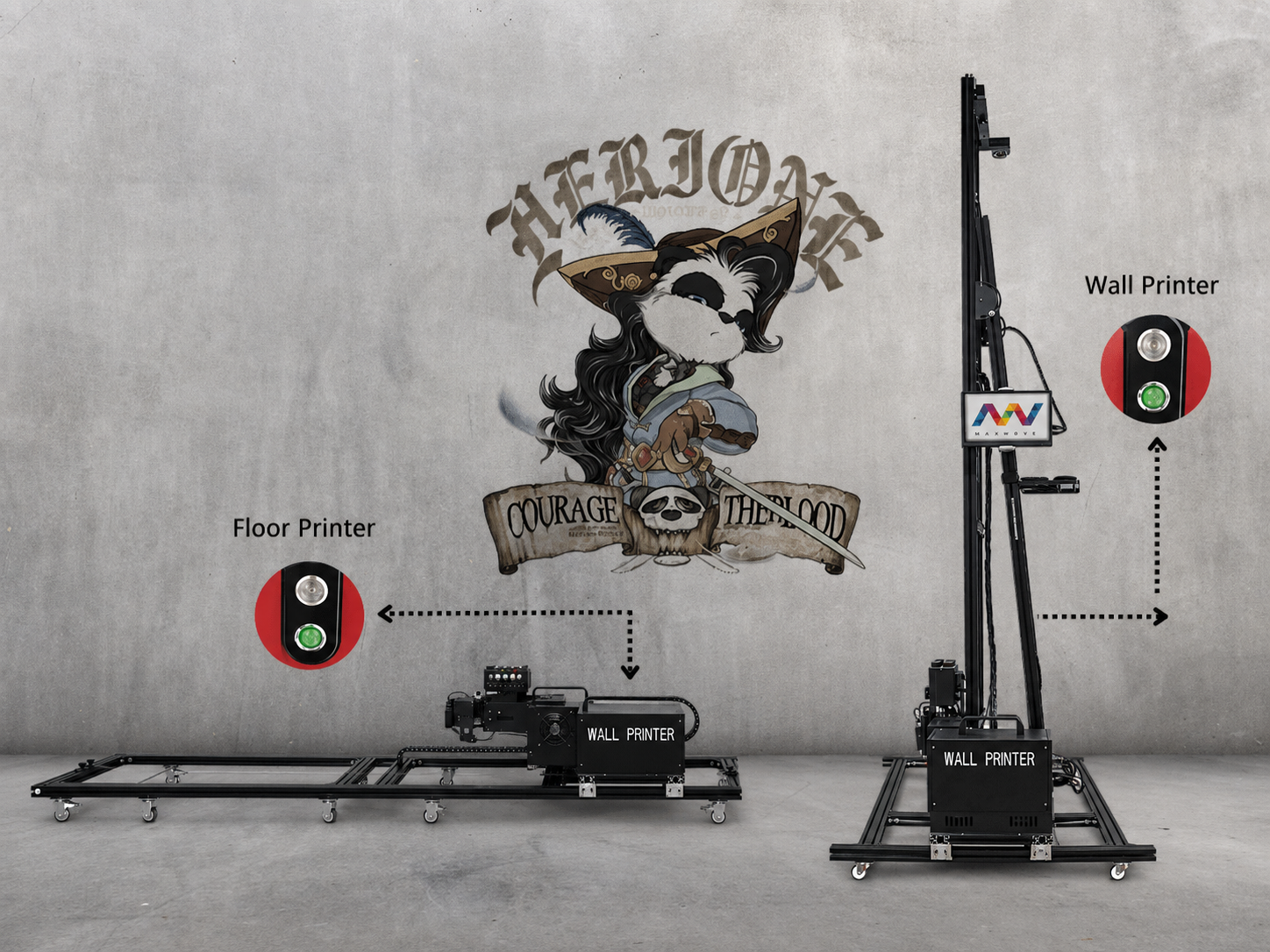
Separate wall and floor printers may be the better choice when both areas of the business operate at high volume or need to work simultaneously.
A single convertible wall printer machine cannot print a wall and a floor at the same time. Frequent mode changes may also become inconvenient when project schedules are busy.
Dedicated machines can remain calibrated for one printing direction and use surface-specific accessories without repeated conversion.
They can also be optimized for different production priorities.
A dedicated wall printer may focus on portability, vertical reach, automatic wall sensing, and detailed mural output.
A dedicated floor printer may focus on long horizontal runs, floor tracking, coating workflows, and wear resistance.
Two machines require more capital, storage space, training, and maintenance, but the extra production capacity may be justified when demand is already established.
The decision should be based on your actual monthly wall and floor workload—not only the price difference between the equipment options.
What Should You Verify Before Buying a 2-in-1 Printer?
Before ordering, ask the supplier to demonstrate the full workflow in both modes.
The demonstration should begin with the machine in wall mode, produce a finished wall sample, convert to floor mode, recalibrate, and complete a floor print.
Observe whether the conversion requires special tools, how many operators are needed, and whether cables, ink lines, sensors, or connectors must be repeatedly disconnected.
You should also verify the real conversion and calibration time, effective wall print height, floor print width, separate production speeds, distance control, white-ink circulation, power-loss recovery, floor coating requirements, anti-slip recommendations, warranty coverage, and replacement-part availability.
Use your own wall and floor materials for testing whenever possible.
A supplier who can demonstrate only one mode has not proven that the machine is a commercially reliable 2-in-1 system.
Wall Printer, Floor Printer, or 2-in-1: Which Should You Choose?
Choose a dedicated wall printer when most of your projects involve residential murals, restaurants, hotels, offices, brand walls, or building façades.
Choose a dedicated floor printer when floor graphics are your main service, production volume is high, and abrasion-resistant finishing is already part of your daily workflow.
Choose a 2-in-1 wall and floor printer when your business expects regular demand for both surfaces, wants to reduce equipment and storage costs, and can accept the additional conversion and floor-finishing steps.
The best choice is not automatically the machine with the most functions.
It is the machine that matches your real project mix, produces consistent results in the required modes, and can be operated profitably by your existing team.
Conclusion
A 2-in-1 wall and floor printer can print on both surfaces, but only when it is designed as a true convertible system rather than a standard wall printer with an improvised horizontal attachment.
The machine must maintain rigid alignment, reliable distance control, correct UV curing, and repeatable calibration in both orientations.
For wall projects, focus on vertical stability, printable height, surface sensing, and image detail.
For floor projects, focus on horizontal tracking, surface preparation, abrasion protection, slip resistance, and realistic curing time.
A 2-in-1 system can be an efficient investment for retail decorators, event companies, interior contractors, and mural businesses that regularly sell connected wall-and-floor projects. For high-volume single-surface production, dedicated machines may still be the better option.
Want to see how quickly WallPrintBox converts between wall and floor modes? Send us your wall material, floor sample, project dimensions, and expected monthly workload. We can arrange a complete conversion demonstration, produce samples in both modes, and provide a recommended configuration with a delivered quotation.